How Trennen works

From upload to one approved quote record.

Trennen keeps the customer request, shop pricing rules, quote review, approval, and production handoff attached to one record.

01 Buyer request Files, notes, material intent.
02 Trennen quote record Files, pricing rules, quote, approval, and status stay attached.
03 Shop quote Price, options, and next action.
04 Approved job Approval and production handoff.

Connected quote record

The buyer path and shop path meet in one record.

Trennen gives both sides a clear route without splitting files, pricing, approvals, and status across different tools.

Buyer-facing Shared record Shop-facing
Buyer path
01 Uploads files

STL files, notes, and job basics arrive together.

03 Reviews quote

The customer sees price, details, and next action.

05 Approves next step

Approval and next steps stay attached to the quote.

Shared quote record One source for the job
Files Rules Quote Approval Status
Shop path
02 Applies rules

Materials, minimums, and shop logic stay controlled.

04 Sends quote

The quote leaves with the right context.

06 Tracks the job

Active work keeps its quote and approval history.

Workflow overview

A quote request in five steps.

Use this as the high-level map before the detailed visual walkthrough below.

01 Capture the request

Customers upload STL files, notes, material choices, and job basics in one place.

02 Apply shop pricing

Your materials, quantities, minimums, and shop rules stay controlled.

03 Send the quote

The buyer gets a clean quote with price, order details, and the next action.

04 Confirm approval

Offer bank transfer or checkout when it fits the job. No Trennen checkout fee on standard plans.

05 Track the job

The shop keeps files, quote, approval, and production status connected.

One connected quote record

See where every step lands.

The request carries through intake, pricing, quote review, approval, and tracking.
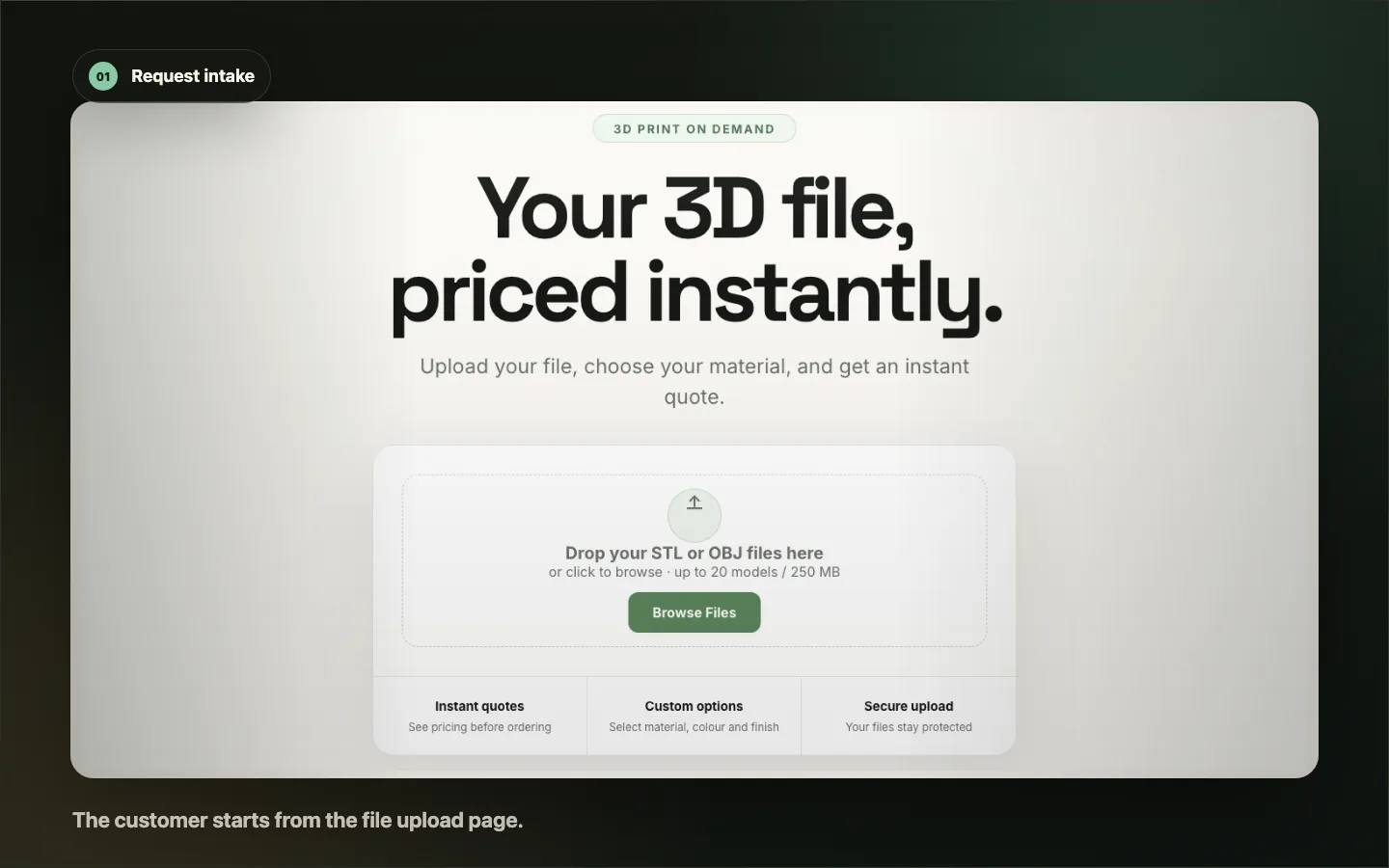
Upload-first quote start screen with Trennen branding and the customer file drop area.
Request intake: the customer starts from the file upload page.
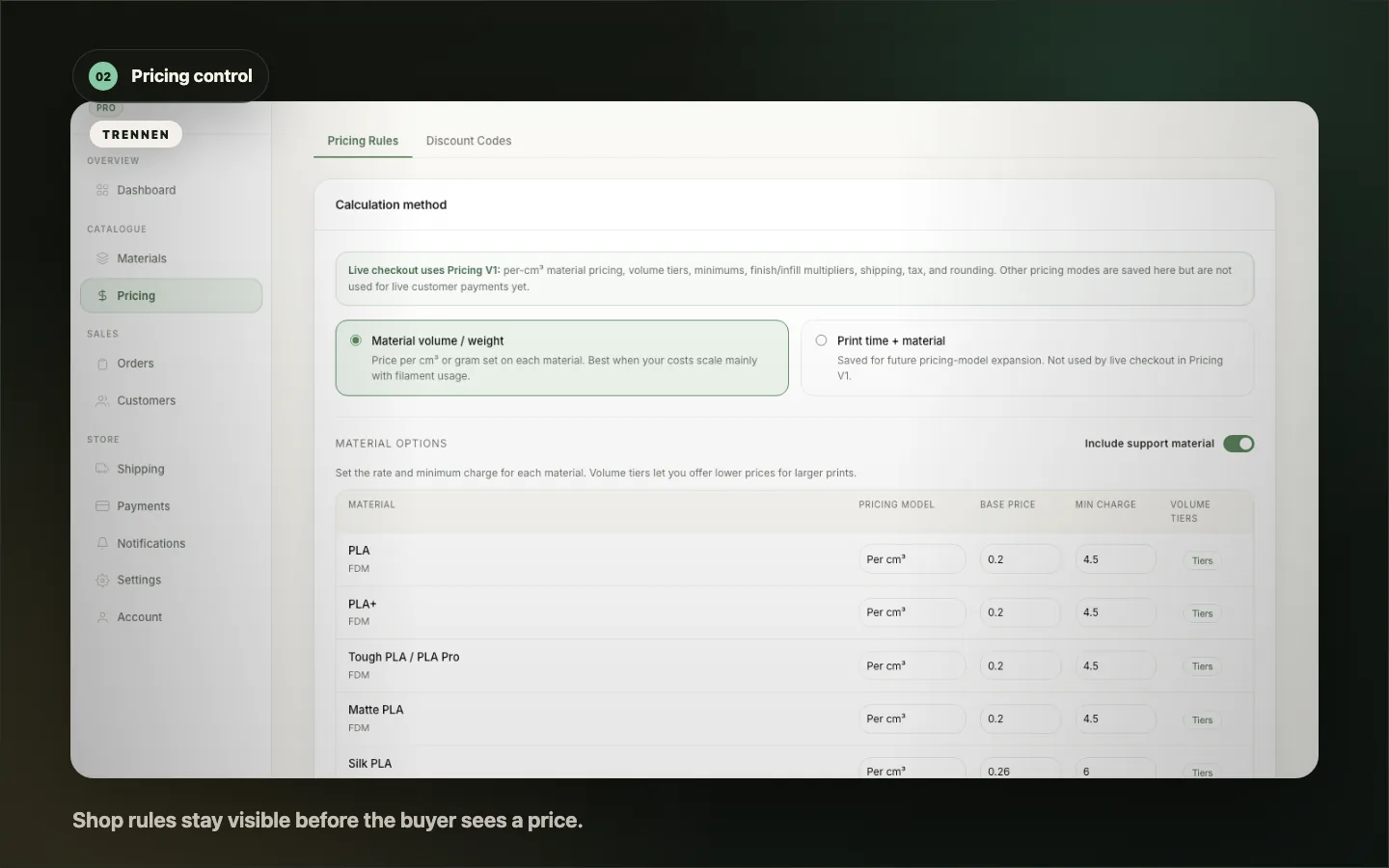
Pricing rules and material controls shown inside the operator workspace.
Pricing control: shop rules stay visible before the buyer sees a price.
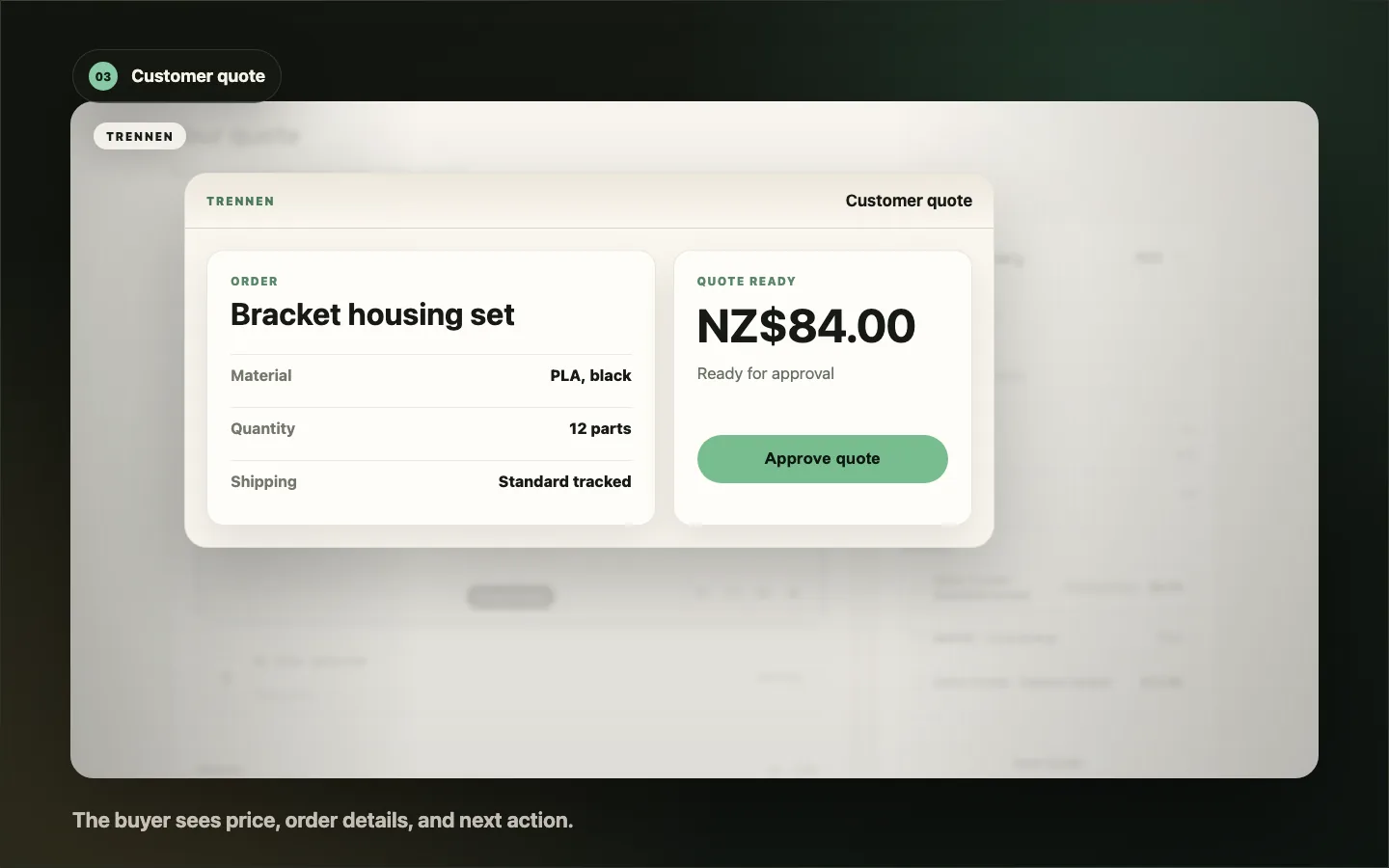
Customer quote summary with price, material, quantity, and shipping context.
Customer quote: the buyer sees price, order details, and next action.
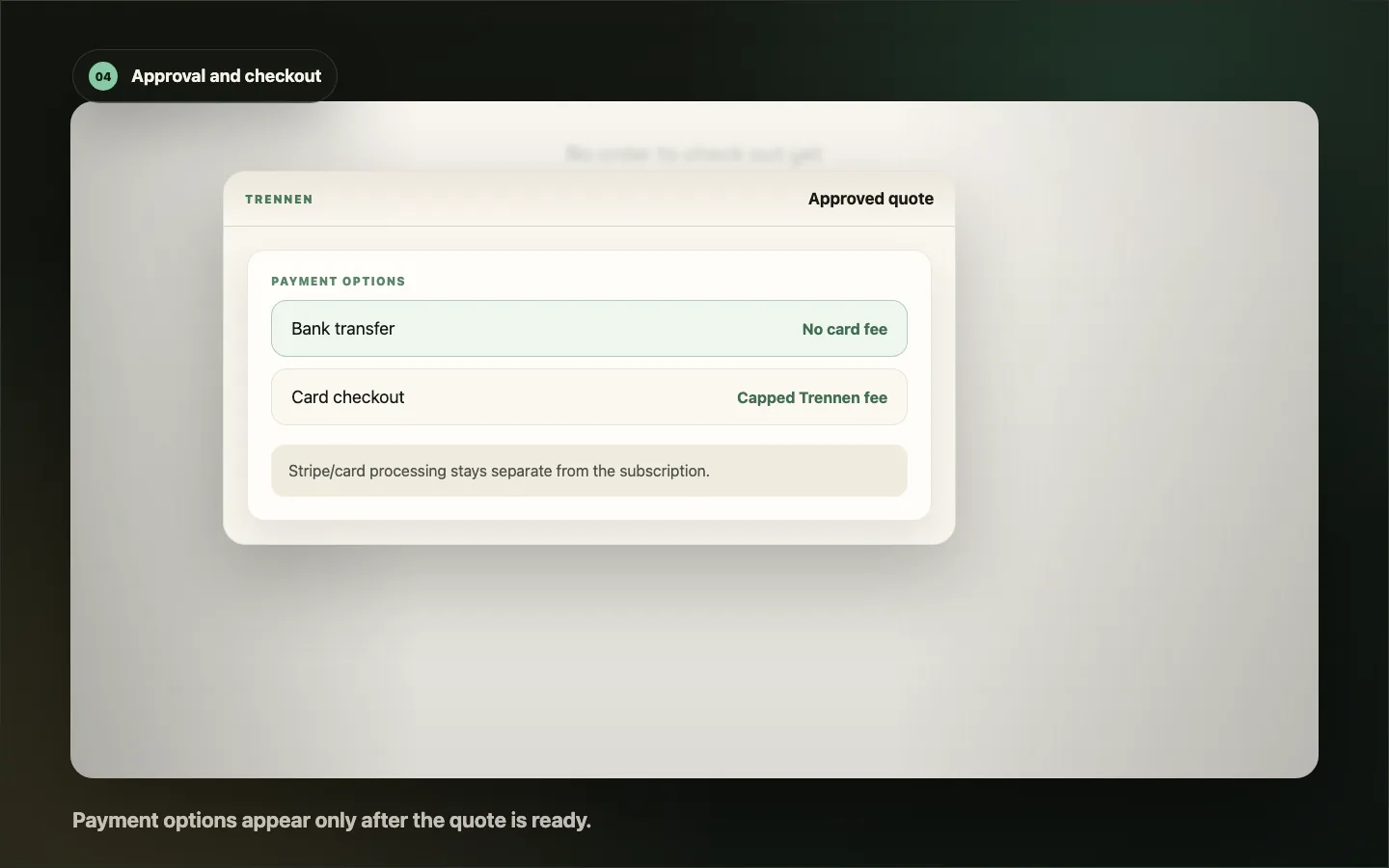
Approval and checkout options with bank transfer, card payment, and no Trennen checkout fee.
Approval and checkout: payment options appear only after the quote is ready.
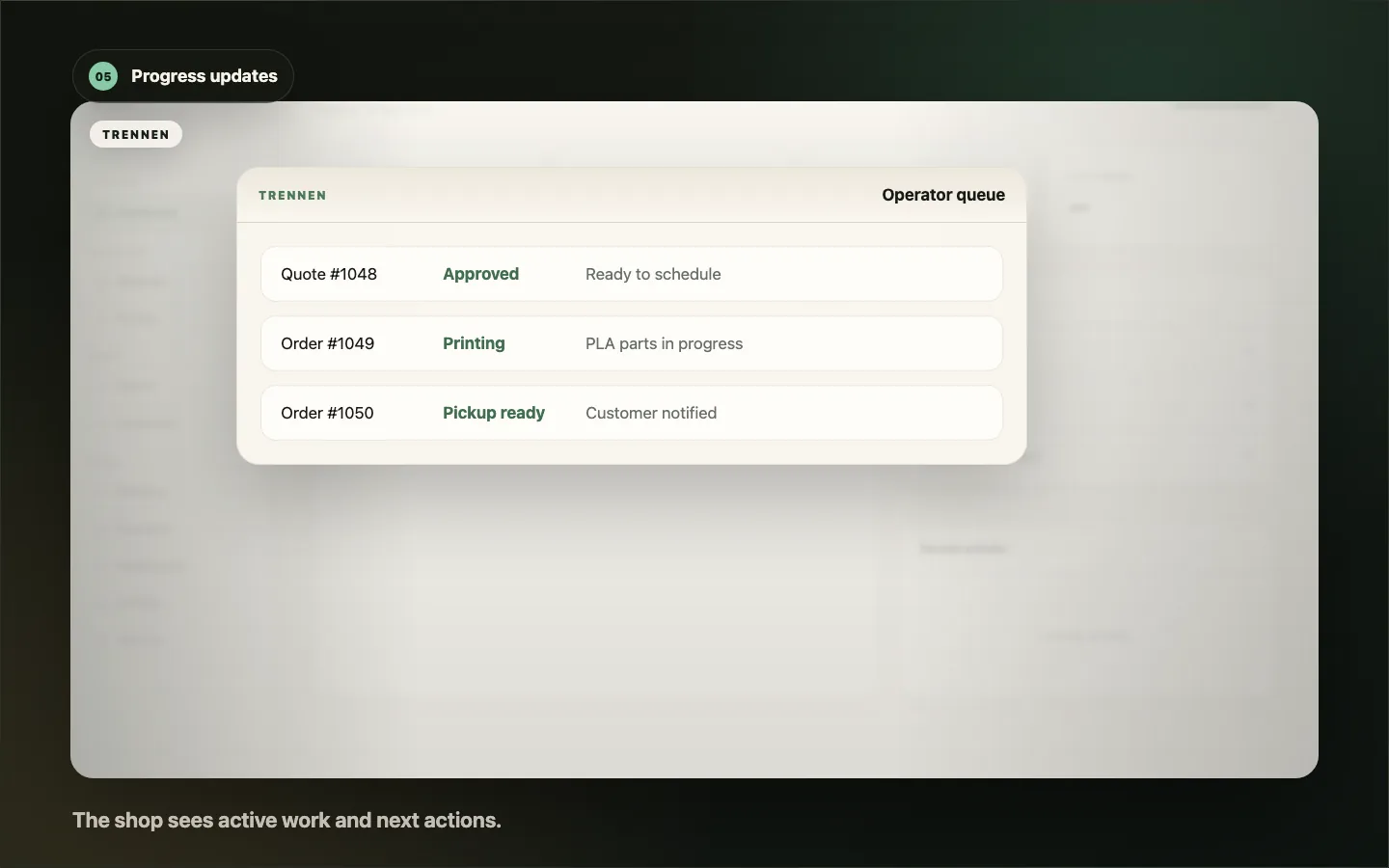
Operator queue with active orders, approved quotes, and production progress.
Progress updates: the shop sees active work and next actions.

Built for 3D print shops

One quote record replaces five handoffs.

Every request keeps the files, pricing rules, quote, approval, and production status connected.

Inputs

What arrives

  • STL files
  • Buyer notes
  • Material choice
Trennen quote record Everything stays attached
Files Rules Quote Approval Status
Outputs

What the shop gets

  • Ready quote
  • Payment choice
  • Production handoff
Less email chasing Shop-controlled pricing Clear buyer approval Current job status

Ready to choose a plan?

Start with the quote volume you need.

Community gives you 5 free quotes/month. Starter and Growth add higher limits with card-upfront trials.

View pricing

Compare quote limits, extra quote charges, and trial details before choosing from the homepage cards.